
 Cart is empty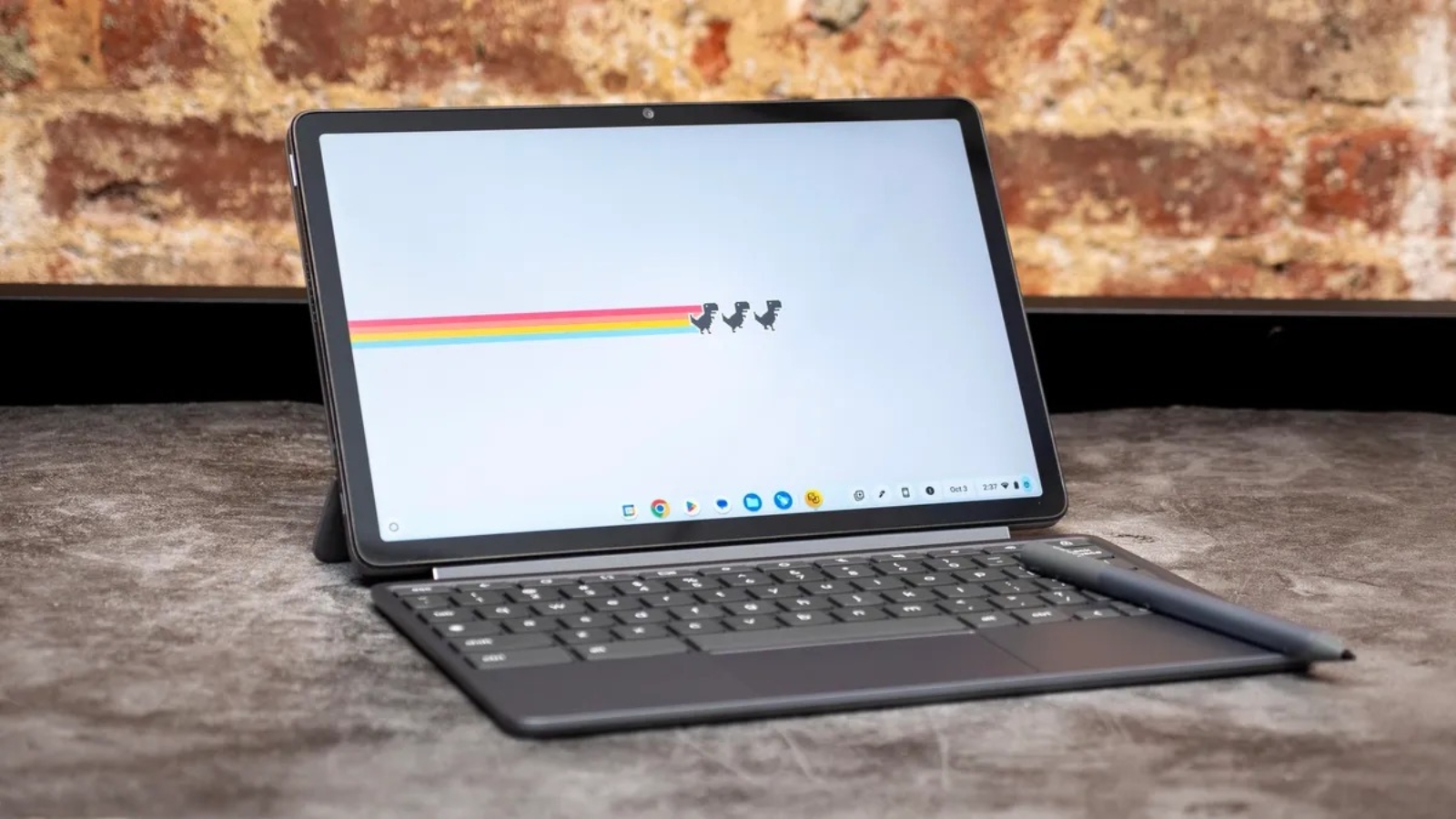
The reason why picking a laptop versus a Chromebook is a dilemma to most users nowadays. Both models are similar enough in their purpose but this is where they have a considerable difference in design, functionality, and, in general, in usage experience.
To enable you to make the right choice, we will examine the five major advantages and disadvantages of laptops and Chromebooks in easy and understandable language.
What is a Laptop? What is a Chromebook?
It is important to first know what each of these devices is before delving into the advantages and disadvantages:
- Laptop: It is an everyday computer that can be operated with either windows or MacOS as operating systems. It is capable of executing a broad spectrum of applications, both professional and gaming.
- Chromebook: This is a low-end computer, powered by Chrome OS, which is largely oriented toward using centralized web-based applications and saving data in the cloud, whereas it is heavily dependent on the Google range of ecosystem.
1. software compatibility- performance
Laptop Pros:
- Active desktop applications: Laptops are compatible with popular applications, like Adobe Photoshop, Microsoft Office, and even your advanced development systems.
- Models with better performance: It offers laptops that have high-performance processors and high RAM, as well as have an integrated graphics card.
Laptop Cons:
- It may be costly: The laptops of high performance are usually priced high.
- Expenses heavier and bulkier: Harder and more powerful hardware can also indicate a heavier device.
Chromebook Pros:
- Quick boot and fast updates: Chromebooks have fast boot and automatic updates which do not need extensive user intervention.
- Good with web and cloud applications: Ideal in the hands of people that primarily utilize Google Docs, Sheets, and various other web solutions.
Chromebook Cons:
- Minimal offline features: A number of apps require internet connection in order to operate completely.
- Cant executear archetypal desktop software: You can execute windows or Macintosh installations instantaneously.
2. Price and Affordability
The type of device Price bracket Money worth.
Laptop $300 -3000+ Broad, varies with specs.
Chromebook $150 – $700 Not very expensive to do simple tasks.
Laptop:
- Prices vary across configuration to a big extent.
- Premium models are perhaps expensive but have huge features.
Chromebook:
- More affordable by general and also good with a tight budget.
- Most suitable with student, non-expert and people requiring basic computing capabilities.
3. Portability: Battery Life
Laptop Pros:
- Numerous ultrabook products have the slim designs and are well-battery.
- Diversity in terms of size in order to fit in the portability requirements.
Laptop Cons:
- Larger laptops can be heavy.
- The battery life differs, battery sucker applications consume more power.
Chromebook Pros:
- Generally considerably light and small.
- Good battery life, can last a day on single charge, other times have very lightweight OS.
Chromebook Cons:
- Slim-screen features can be a constraint in user experience of multitasking.
- Quality of construction is not always high, particularly the low-end ones.
4. Security and Updates
Laptop Pros:
- You are in charge of the timing and manner of system updating.
- Is able to install different antivirus and security programs.
Laptop Cons:
- Laid out to be updated and maintained its parts manually.
- There is a greater risk of malware unless it is managed well.
Chromebook Pros:
- The system is automatically updated, ensuring that it is secure.
- Inbuilt sandboxing and authentic boot protection against websites that spread malware.
Chromebook Cons:
- Uncontrollable security options.
- Bases security on the infrastructure at Google.
5. User Uses and User Experiences
Laptop Pros:
- Adequate among professionals, gamers and other creatives who require high-quality software.
- More flexibility to multitask and use of software.
Laptop Cons:
- Maintenance must be done using technical knowledge.
- By itself can be too complex to be used by people who require simple functions.
Chromebook Pros:
- Easy and user friendly interface.
- Ideal in students, casual users and in users who cannot do without Google services.
Chromebook Cons:
- No good with heavy video editing or gaming.
- Few options of specialized software.
Summary Table of Pros and Cons
| Aspect | Laptop Pros | Laptop Cons | Chromebook Pros | Chromebook Cons |
| Performance | Runs full software, high power | Expensive, heavier | Fast boot, great for web apps | Limited offline use, no desktop apps |
| Price | Wide price range | High-end models costly | Affordable | Limited power for price |
| Portability | Variety of sizes | Heavy if powerful | Lightweight, excellent battery life | Smaller screens, build varies |
| Security | Customizable security | Requires maintenance | Automatic updates, secure | Less control over settings |
| User Experience | Versatile, professional use | Complex for beginners | Simple, great for basic use | Not for heavy software |
Conclusion
A laptop is preferable in case you need a device that is of professional grade, games, or software development. It gets flexibility, strength and wide scope of application.
In case you have simple computing requirements such as browsing, streaming, writing compositions, and utilizing cloud services, a Chromebook is an excellent bargain that is user-friendly, has a long battery life, and is highly secure.
To gain a deeper look into the design of Chromebook and its intended use, consider the official Wikipedia page of Chrome OS.
FAQs
Q1: Is it possible to use Microsoft office on Chromebook?
A: Yes, through Office Online or Android applications, full desktop versions can only execute on laptops.
Q2: Can chromebooks be used to play games?
A: Chromebooks are not a good choice to play heavy weight games, though it could play web based games or Android games.
Q3: Does it support the use of Linux in a Chromebook?
A: Cromebooks have lots of support that runs Linux applications in their in a built in interaction which increases the software possibilities.
Q4: Is the lifetime of laptops longer than that of Chromebooks?
A: That will be dependent on how it is used, but in most instances laptops have more upgrade options, thus increasing its life span.
Leave A Comment