 Cart is empty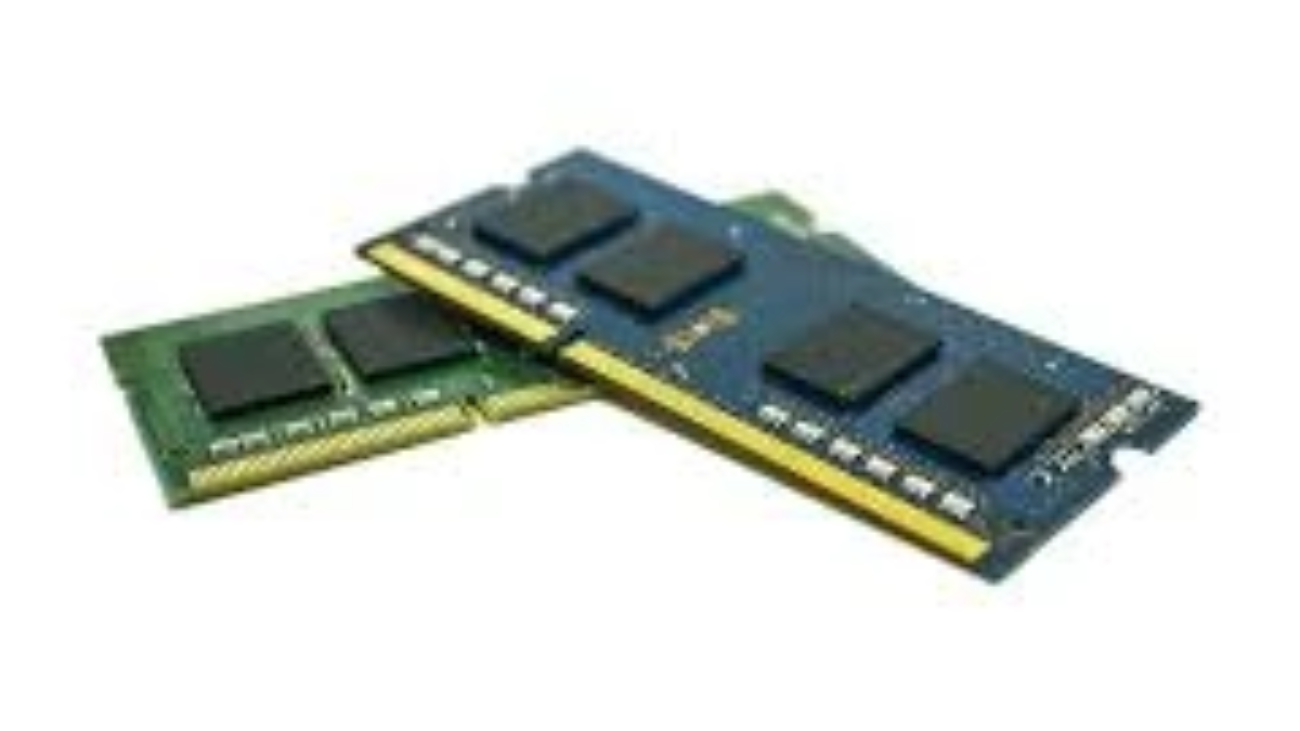
As far as your laptop performance is concerned, there is need to know about RAM (Random Access Memory). RAM is an important factor that determines the level of compatibility of your laptop running applications, multitasking, and complex operations. This tutorial provides a clear, advanced level guide aimed at the beginner level such that you can understand the various types, sizes, and speeds of the laptop RAM in order to be able to make a knowledgeable decision in regards to upgrading or buying new.
What is Laptop RAM?
RAM is the short term memory which is used by your computer to hold data currently under processing. RAM is also volatile (data is lost when the laptop is turned off) unlike hard drives or SSDs and is much faster. The higher the RAM you have in your laptop the more is the work that it can do concurrently without losing speed.
Why RAM Matters
- Benchmark: The higher the RAM, the easier it is to multitask.
- Speed: Swifter RAM has the ability to enhance rate of transfer.
- Compatibility: When you use the appropriate type of RAM in your laptop, your computer will not crash.
Types of Laptop RAM
The main distinction of the laptop RAM is that it is available in various form factors and generations, and it is important to select the right type.
1. SO-DIMM Form Factor
The least memory module that is used in most laptops is SO-DIMM (Small Outline Dual Inline Memory Module), which is smaller than desktop RAM modules. This small size will occupy the small space available in laptops.
2. DDR Generations
DDR versions RAM versions can be divided into:
- DDR3: It is slow with higher resistance and less effective.
- DDR4: This is the most common standard of the laptops; it is speedy and has efficiency in power.
- DDR5: The latest, is more power efficient and fast but is not available in all the laptops yet.
Upgrading your laptop involves compatibility which is determined by the motherboard, therefore, make sure that you have checked your system specifications.
Laptop RAM Size: How Much Do You Need?
The deciding factors in the appropriate RAM size include the way you use it:
| Usage Type | Recommended RAM Size |
| Basic Tasks (web browsing, email) | 4GB – 8GB |
| Productivity (office apps, multitasking) | 8GB – 16GB |
| Gaming & Creative Work | 16GB or more |
Why Size Matters
- Less than 4GB: This is usually not sufficient with the contemporary operating systems and applications.
- 8GB: Most people and multitasker friendly.
- 16GB+: Perfect in gaming, video editing and challenging software.
RAM Speed: What You Should Know
The speed of RAM is in MHz, and influences the speed of transfer of the data between RAM and CPU. The typical range of laptop DDR4 RAM is between two thousand one hundred and thirty three MHz and three thousand two hundred MHz or even more.
Does RAM Speed Affect Performance?
Yes, but its impact varies:
- The quicker the RAM, the better the rate of data transfer is.
- The improvement of performance can be observed in such activities as gaming and video editing.
At that at day-to-day chores, we can be less apparent about the differences in speed.
How to Check Your Laptop’s RAM Specifications
- You must be informed about your existing RAM product: type, size, and speed:
- In Windows, open Task Manager (Ctrl + Shift + Esc), in the performance tab, and in the memory section.
Upgrading Your Laptop RAM: Step-by-Step
- GE: How to Upgrade Your Laptop RAM.
- Determine RAM Compatibility: Check ([TL]) my laptop manual or online advisories such as the Crucial system scanner.
- Purchase RAM: Just buy the appropriate one, its size, speed, and brand.
- Installation: Use the power off and also unplug your laptop. Take off the back panel very cautiously. Locate the RAM slots.
- Install New RAM: Another one: Position the module and insert it firmly but careful not to break.
- Test: Turn it on and do not forget to test whether the new RAM is identified in the system.
Common Myths About Laptop RAM
- Higher RAM=Faster laptop: But it does not necessarily have to be; balanced CPU and storage is important too.
- Any RAM will be compatible: Compatibility with incorrect RAM may develop.
- RAM influences storage: RAM and storage are not the same; when the RAM is added, the storage does not get any more space.
FAQs
Q1: Can I mix different RAM sizes?
No, but, of course, matching pairs are better to achieve dual channel application.
Q2: Does RAM affect battery life?
Theoretically; a higher RAM could slightly eat more power, but it is not that big of a difference.
Q3: How do I know if my laptop supports RAM upgrade?
Examine the documentation by the manufacturer or on the Internet.
Q4: Is DDR5 worth buying now?
DDR4 will be the maximum need to most users, although DDR5 provides future-proofing.
Conclusion
Laptop RAM is important to know in order to make the best use of your computer. By selecting the appropriate type, size and speed, you will make sure that your laptop is prerogative in terms of performance. Being a casual user or power user, it will help you to learn how to assess and upgrade your RAM which will prolong the lifetime of your laptop and enrich your computing experience.
To learn more about technical facts about the RAM technology, we can go to Wikipedia page on RAM. This is where we can get an in-depth perspective of the memory architecture and the types of memory, and this is highly valuable to those who are enthusiasts in learning.